Dashboard
1 screen in the Inventory menu
Inventory
9 screens in the Inventory menu
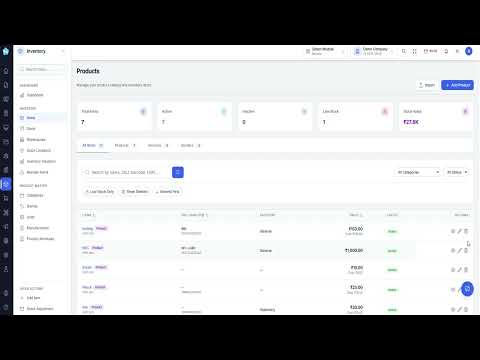
Items
The catalogue: every product and service you buy, sell or hold. Search by name, SKU, barcode or HSN, filter by category, supplier, principal or status, and change several items at once.
Read the full guideStock
What you actually hold: opening quantity, everything in, everything out and the balance now, for each item. Any row opens to show the individual movements and their references.
Read the full guideStock Adjustments
Corrections to stock that did not come from a sale or purchase — breakages, losses, found stock, a count that did not match — each with the item, direction, quantity, who made it and why.
Read the full guideWarehouses
The places you keep stock: each warehouse with its type, the manager responsible, where it is, how many storage locations it contains and its capacity.
Read the full guideStock by Branch
Stock levels split by branch rather than totalled across the business: each item's quantity at each place, the minimum set for it, and whether it is low or out of stock there.
Read the full guideStock Locations
The positions inside a warehouse — racks, shelves, bins, pallets, floor space, fridges and freezers — each with a code, and a temperature band where cold storage applies.
Read the full guideInventory Valuation
What your stock is worth, valued at weighted average cost. Totals by category with each category's share, and lists items with quantity on hand, average cost and total value.
Read the full guideReorder Alerts
Items that have run out or fallen to a reorder level you set, with current stock, the level that triggered it, the usual reorder quantity and the shortfall.
Read the full guideBatch Stock
Stock held by batch rather than only by item: each batch with the quantity remaining, its expiry date and its pricing.
Read the full guidePricing
3 screens in the Inventory menu
Price Groups
Customer price tiers such as wholesaler, retailer or dealer. Each group has a rule — a basis and a value — used to work out a price when no specific price has been set for an item.
Read the full guidePricing Matrix
A grid of items against price groups where you set what each group pays for each item. A blank cell is not an omission — it falls back to the group's own computed price.
Read the full guideRate Change History
The audit trail of price-group price changes: when a price changed, for which item and group, what it moved from and to, how the change was made, and by whom.
Read the full guideProduct Master
5 screens in the Inventory menu
Categories
How your catalogue is organised. Categories can be nested under a parent or stand at the top level, each with a description and a position controlling where it appears.
Read the full guideBrands
The brands your products belong to. A brand is a separate axis from category: a category says what a thing is, a brand says whose it is.
Read the full guideUnits
Manage the units products are measured in — pieces, kilograms, litres, boxes — so quantities mean the same thing everywhere.
Read the full guideManufacturers
Manage the manufacturers and suppliers behind your products, so items can be grouped and traced back to who makes them.
Read the full guideProduct Attributes
The attributes that distinguish one variant of a product from another — size, colour, material — and the values each can take. They are the building blocks of variant products.
Read the full guideWatch Inventory in action
Related modules
Need a hand with Inventory?
Our team can walk you through setup, migration or any screen above.
Talk to support